Git History for selections v1.1.8
View git history for files and line selections with a real diff viewer. The IntelliJ git experience, rebuilt inside VS Code.
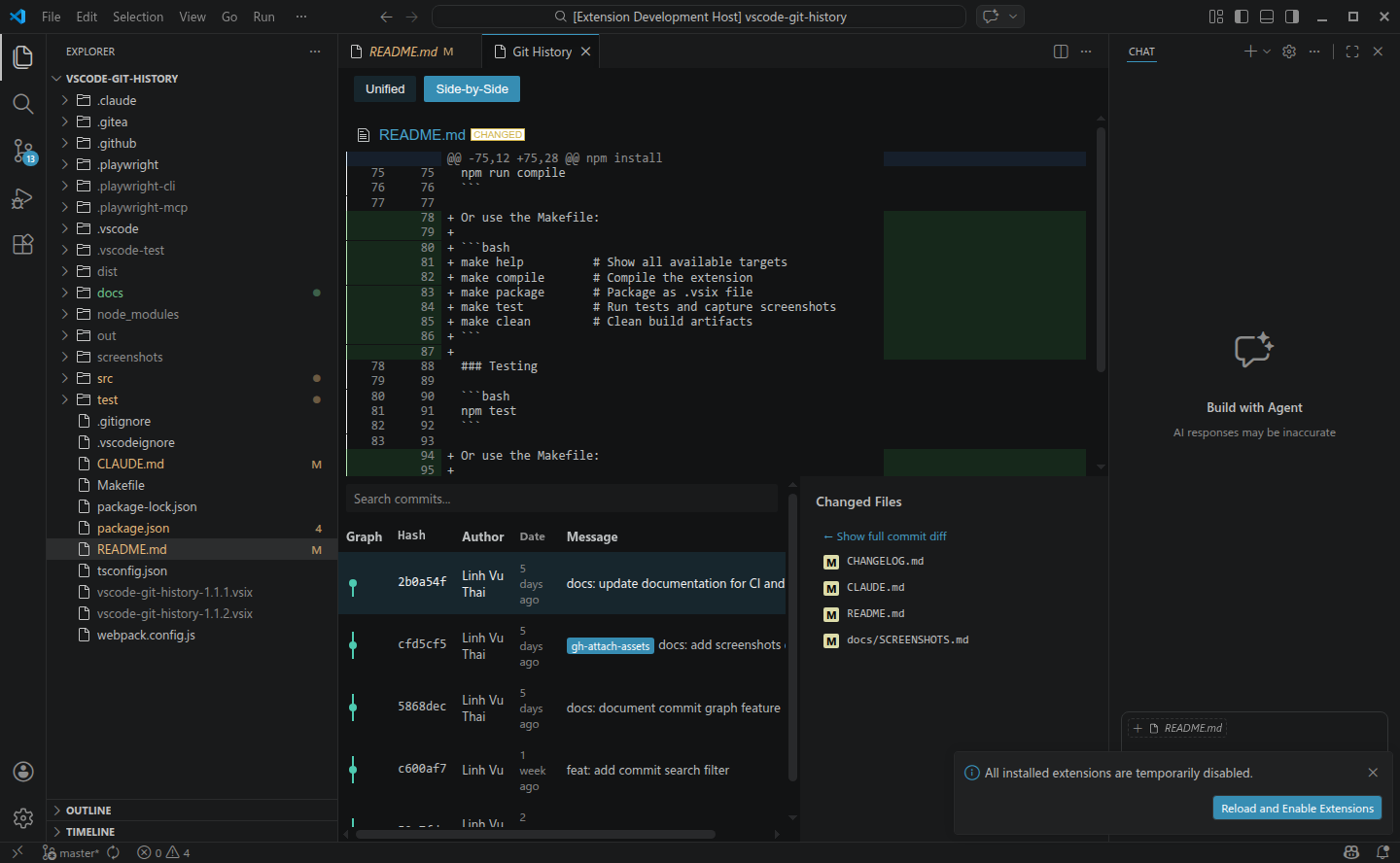
File history — the full commit list with inline diff.
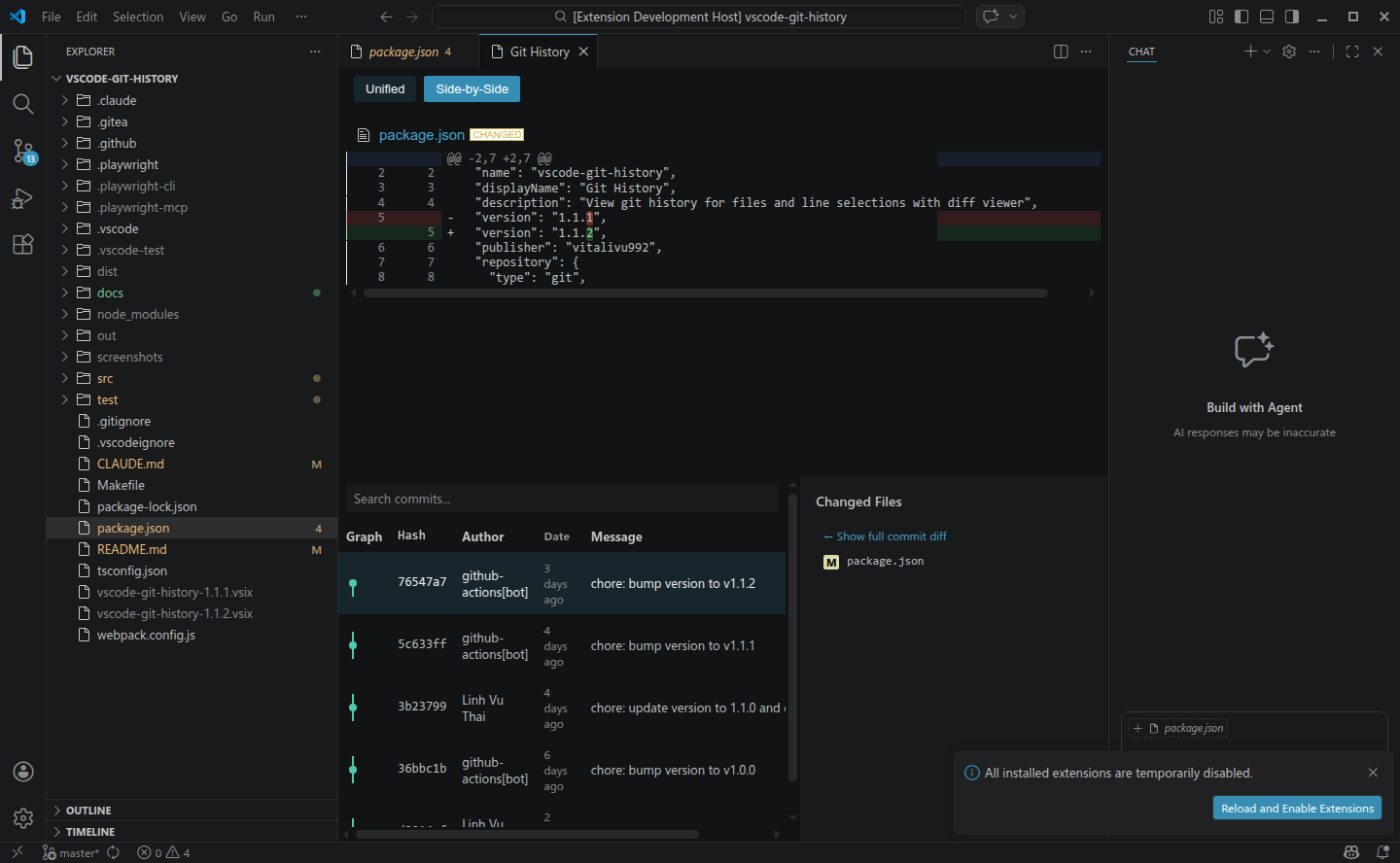
Selection history — only the commits that touched the lines you selected.
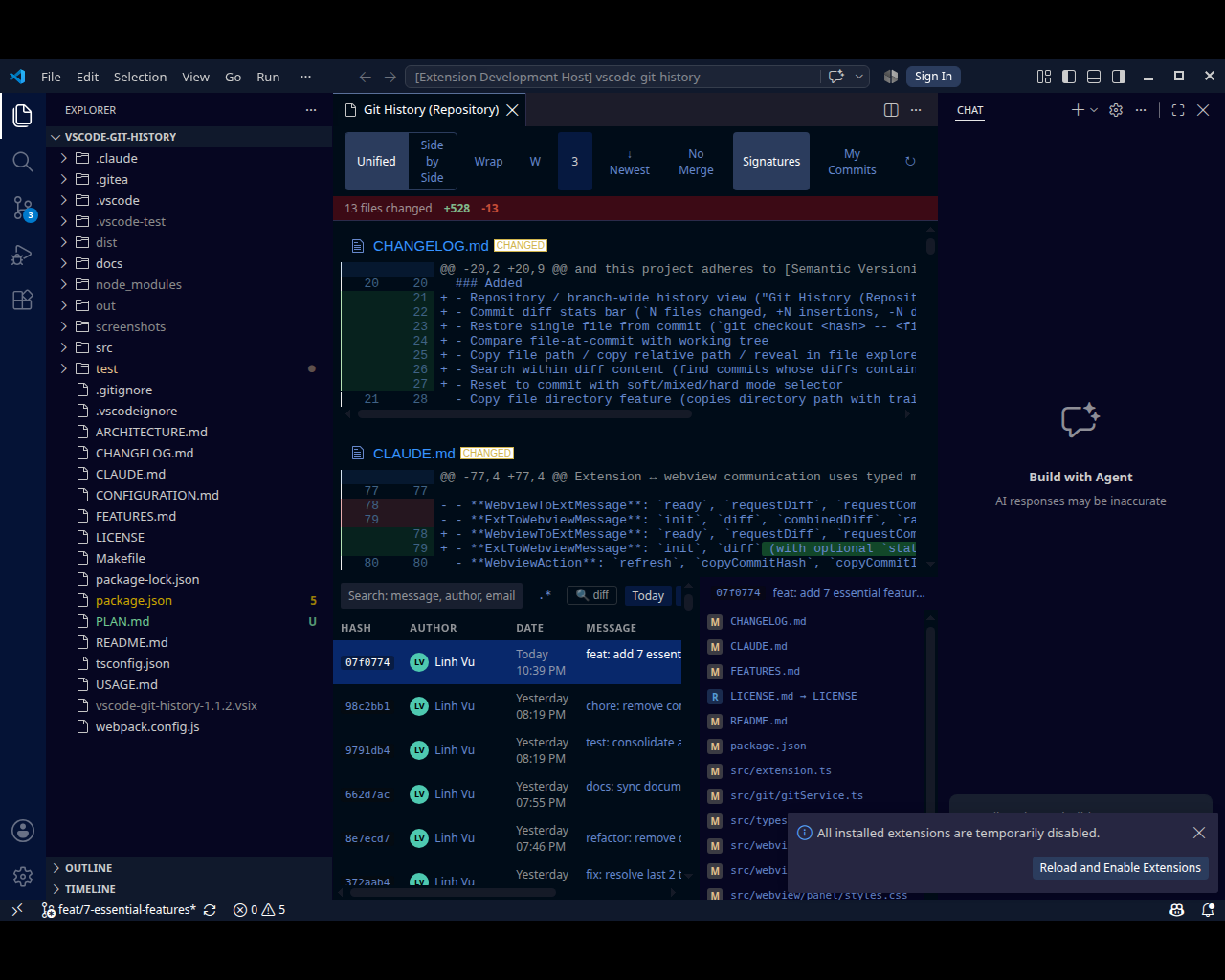
Repository-wide history when you need the big picture.
Features
What you get
File & selection history
History for a whole file, or filtered down to just the commits that touched the lines you selected.
Real diff viewer
Unified or side-by-side diffs with configurable context lines and in-diff search.
Blame annotations
Toggle inline blame with Ctrl+Shift+B — relative,
short or ISO dates.
Signature badges
GPG verification shown right next to each commit — verified ✓ or unverified ✗.
No-merge filter
Hide merge commits from the list with one click when you only care about real changes.
Keyboard-first
Global shortcuts work from any text editor — see the table below.
Shortcuts
Keyboard first
| Keybinding | Action |
|---|---|
| Ctrl+Alt+H / Cmd+Alt+H | Git History (File) |
| Ctrl+Alt+Shift+H / Cmd+Alt+Shift+H | Git History for Selection |
| Ctrl+Shift+B / Cmd+Shift+B | Toggle blame annotations |