PostgreSQL Explorer v0.1.23
Browse and query PostgreSQL databases without leaving your editor. Inspired by Beekeeper Studio and IntelliJ’s database tools.
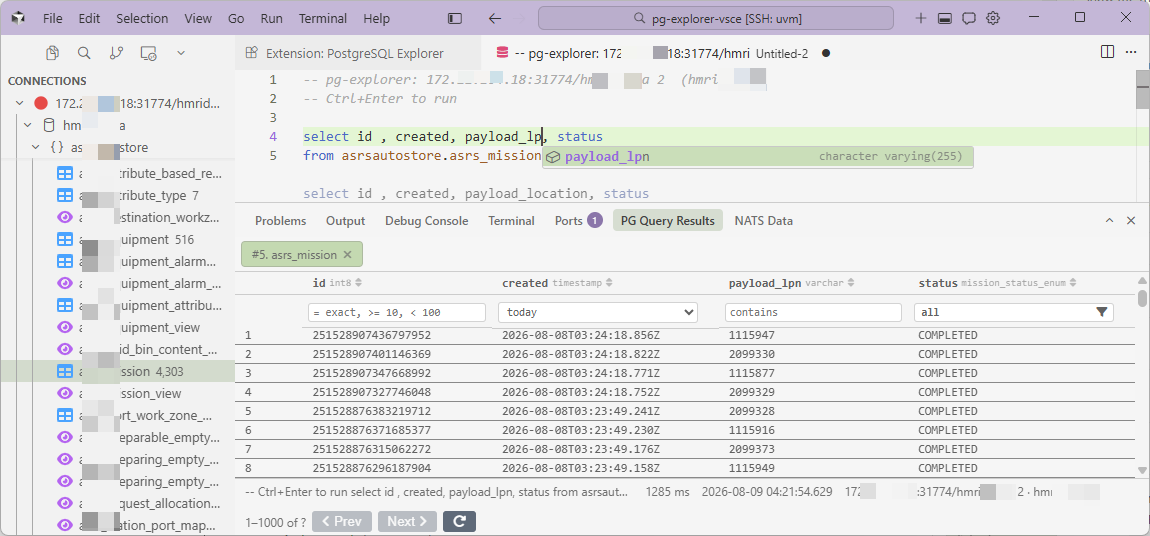
Query editor bound to a connection, results in the bottom panel.
Features
What you get
Connection management
Add connections via JDBC URL or manual fields. Passwords are stored in
VS Code secretStorage — never in plain-text settings.
Object browser
A lazy tree of connections → databases → schemas → tables, views, foreign tables, sequences, types and functions.
Query editor
A SQL editor bound to a connection. Press Ctrl+Enter
(Cmd+Enter on macOS) to run.
Results panel
Result tabs with sorting, type-aware column filters, pagination, pinning, and in-flight cancellation.
Table actions
Right-click tables for Preview Data, Count Rows and View/Copy DDL.
Diagnostics & safety
Connection diagnostics (server info + active sessions), query history, bookmarks and a read-only mode for production databases.
Pro upgrade
PostgreSQL Explorer Pro
The extension is free for everyone — personal and company use, no business license needed. Pro is optional: it lifts the saved-connection cap from 5 to unlimited. Everything else stays free either way. Works offline after activation.
| Feature | Free | Pro |
|---|---|---|
| SSH tunnels, CSV/JSON/SQL export, ERD generator, query library & history, explain plans, record editing | ✓ | ✓ |
| Saved connections | 5 | Unlimited |